





 Pyas calendars
Calendars you can break
Every Pyas app has a sandbox. Sample people on Pyas calendars have a week of everyday events, and simulated Google, Outlook and Zoom accounts answer the way those providers do. Test keys reach only the sandbox, so nothing you try touches a real calendar.
- Real-looking weeksMeetings, invitations, recurring series, focus time, all-day trips and working locations.
- Providers as they behaveSimulated Google, Outlook and Zoom accounts that answer, and refuse, the way the real ones do.
- Separate keysA pyas_sk_test_ key sees only the sandbox. A live key never sees it.
- A clean startReset the sandbox from the dashboard or the CLI and the week comes back as it was.
Build the whole feature before anyone connects
The sandbox works with the API, the SDK, the CLI and the MCP server, the same way it will in production.
Start from a working app
One command creates a Next.js, Nuxt or Express app with the SDK, PyasConnect and a webhook endpoint that checks signatures. Your test key goes into its env file. A live key never does.
Log in with a test key, then create the app.
$ npx @pyas/cli login --key pyas_sk_test_...
$ npx @pyas/cli init --template nextjs my-calendar-app
See who is in the sandbox
Each sample person comes with their account ID, calendars and time zone, ready to use in a request.
List the sandbox, then read a week.
$ pyas sandbox
$ pyas events list --account <accountId> --days 7
Test webhooks on your laptop
The sandbox's webhook events are forwarded to your local handler as they happen, with the same headers and signature as a real delivery.
Forward events to your handler.
$ pyas webhooks listen --forward http://localhost:3000/webhooksMake the outside world happen
Simulate what people do outside your app: an edit in Google Calendar or Outlook, an attendee's reply to an invitation, a Zoom meeting starting, someone joining, a recording becoming ready. Pyas sends the same webhooks a real one would.
Someone edits the event in their own calendar app.
await pyas.sandbox.simulateChange({ accountId, eventId, change: 'updated' })

await pyas.sandbox.simulateMeeting({ accountId, eventId, what: 'participant_joined' })
Start over
Deleted half the week while testing? Reset it and every person, calendar and event comes back.
Reset the sandbox.
$ pyas sandbox resetTest and live, one switch apart
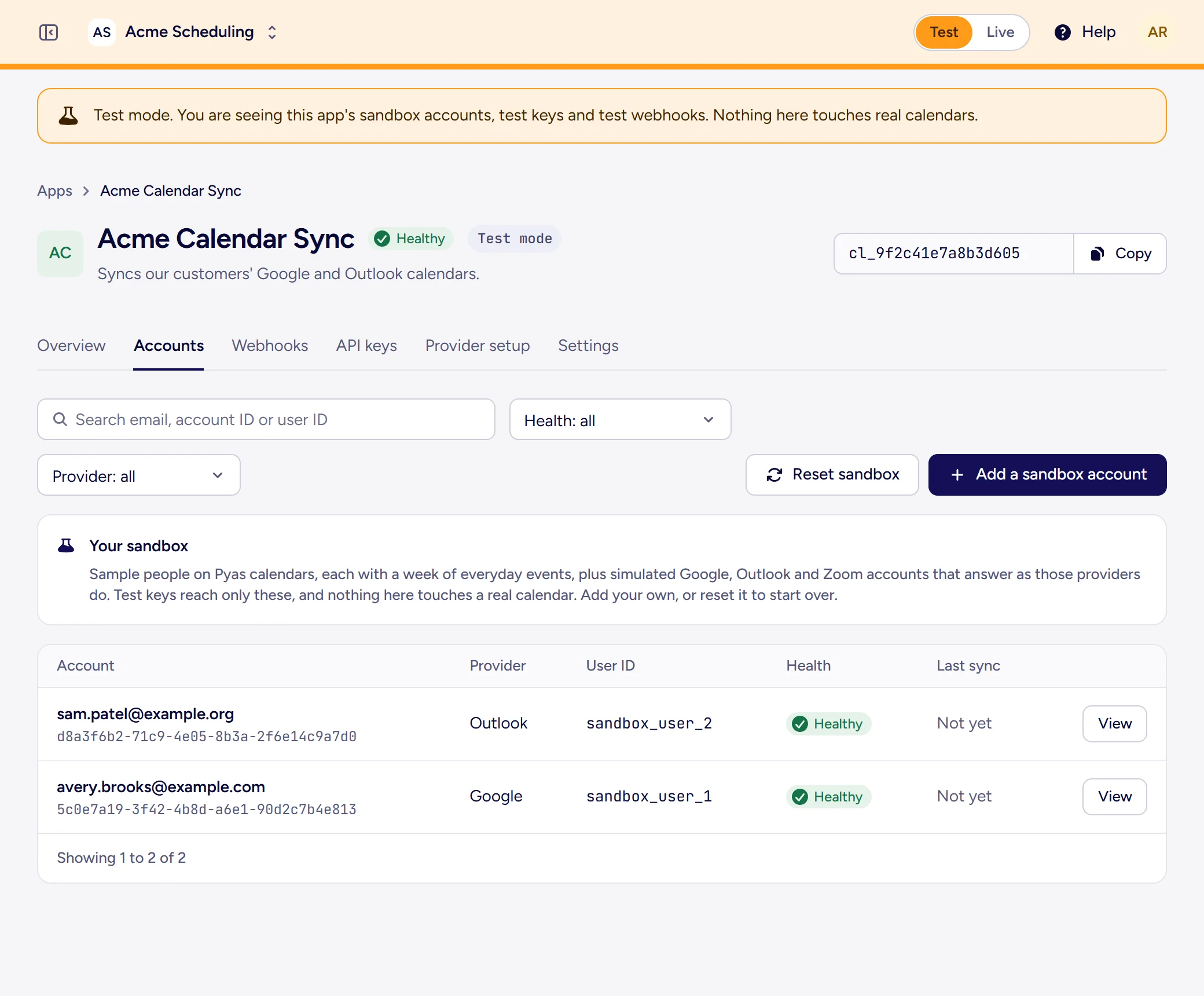
Switch the dashboard to Test and you see the sandbox's accounts, test keys and test webhooks, in orange so you never mistake one for the other. Add your own sandbox accounts, or reset it.
Test key or live key
- Reaches the sandbox's sample people and simulated accounts
- Webhooks go to your test endpoints
- Can create sandbox accounts, but never connect a real one
- Reaches the real calendars your users connect
- Webhooks go to your live endpoints
- Can never see the sandbox